Bad sectors Pro
Self-healing
Every chunk is checked when it is read and by a weekly scrub. A damaged chunk is replaced with a good copy from the off-site replica, automatically.
A disk starts failing

Backup storage appliance for S3 backup software Beta
Your storage, your network, dedup on top.
The deduplication and immutability of an enterprise backup appliance, as a VM that runs on the disks, NAS or iSCSI storage you already have. Built for MSPs who look after many small customers.
Watch
How deduplication saves the space, and a short tour of the web console. Captions are included.
Deduplication
A weekly full of the same server is mostly data you already have. ddvault finds it at the block level and keeps one copy, across every job, bucket and share in the storage pool.

Built for MSPs
Dedup appliances have been out of reach for small and mid-sized customers. ddvault brings the same savings to them on hardware they already have, and gives the MSP what it needs to run many of them.

Recovery
Backups are only worth what you can restore. ddvault has a way back for each kind of failure, from one bad sector to losing the whole site.
Bad sectors Pro
Every chunk is checked when it is read and by a weekly scrub. A damaged chunk is replaced with a good copy from the off-site replica, automatically.
A disk starts failing
Lost index
The index of every pool is copied, encrypted, to cloud storage or a folder every five minutes, and rebuilt from the pack files with one command.
index.db is damaged
Lost OS disk
Settings, keys, certificate, network and iSCSI targets live on the data disk too. A fresh VM finds them and comes back with the same identity.
The VM will not boot
Lost site Pro
Replication sends the deduplicated chunks off-site, encrypted. Restoring needs no licence, so the data stays yours.
The whole appliance is gone

Storage
Connect LUNs from a NAS or SAN over iSCSI, or simply add virtual disks. Each one becomes a storage pool that grows online.
Features
Immutability Pro
Compliance and governance modes. Backup software that supports immutability sets the retention on each backup object itself.
Capacity Pro
Capacity reporting over S3: the backup software sees the capacity and free space after dedup, so a repository doesn't look full long before it is.
File-level backups Pro
File-level backup software writes its cloud volumes straight to the appliance, and they dedup along file records.
Off-site Pro
Only new chunks travel, encrypted with your key. Cold or archive tiers keep the off-site copy cheap.
Cloud capacity Pro
Keep long-term copies in your own cloud blob container, encrypted, while the index and recent data stay on the appliance. Backups land on local disk at full speed and upload in the background.
Restores Pro
Restoring from a cloud pool reads every block the appliance already holds locally and downloads only the rest, so restores are faster and cheaper.
Operations
When no backup is writing, the appliance reclaims space from deleted backups, trims caches and removes leftovers, and shows what every gigabyte on the disk is.
Free editions
Share any bucket as a network folder for free backup editions or other tools, deduplicated together with the S3 buckets.
Operations
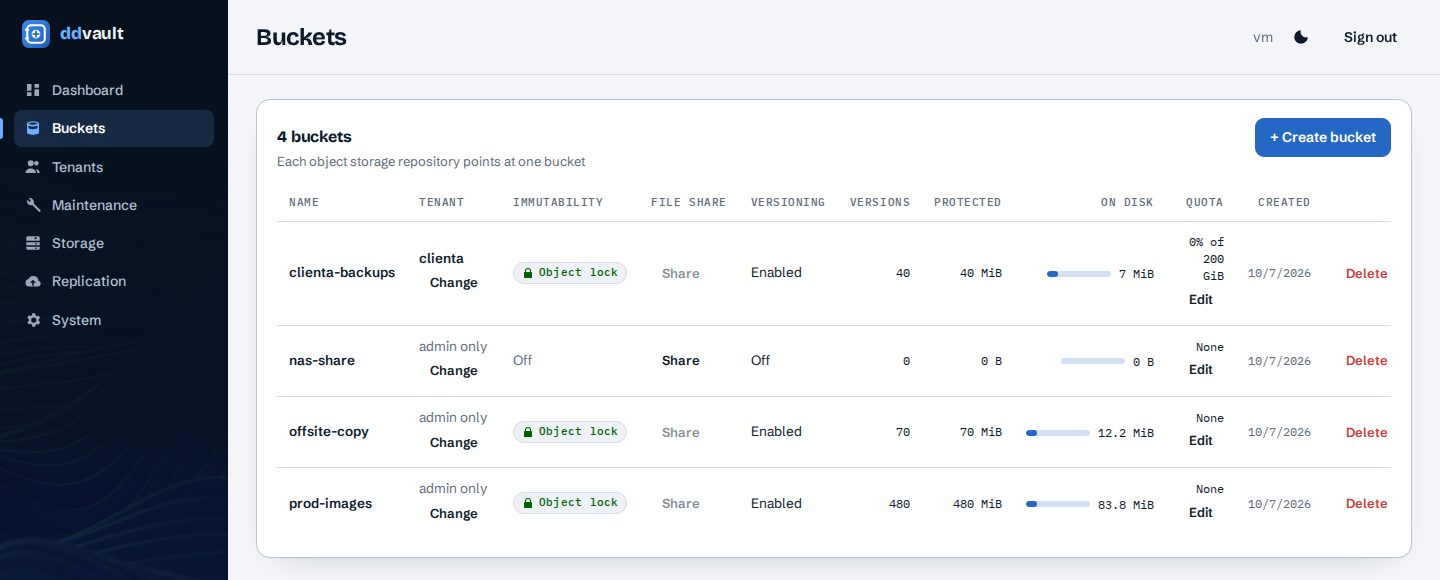
Reduction, capacity, system load, storage, alerts and upgrades in the browser. No command line for daily work.
Web console
The reduction ratio, the space it saves and the load on the appliance, refreshed every few seconds.
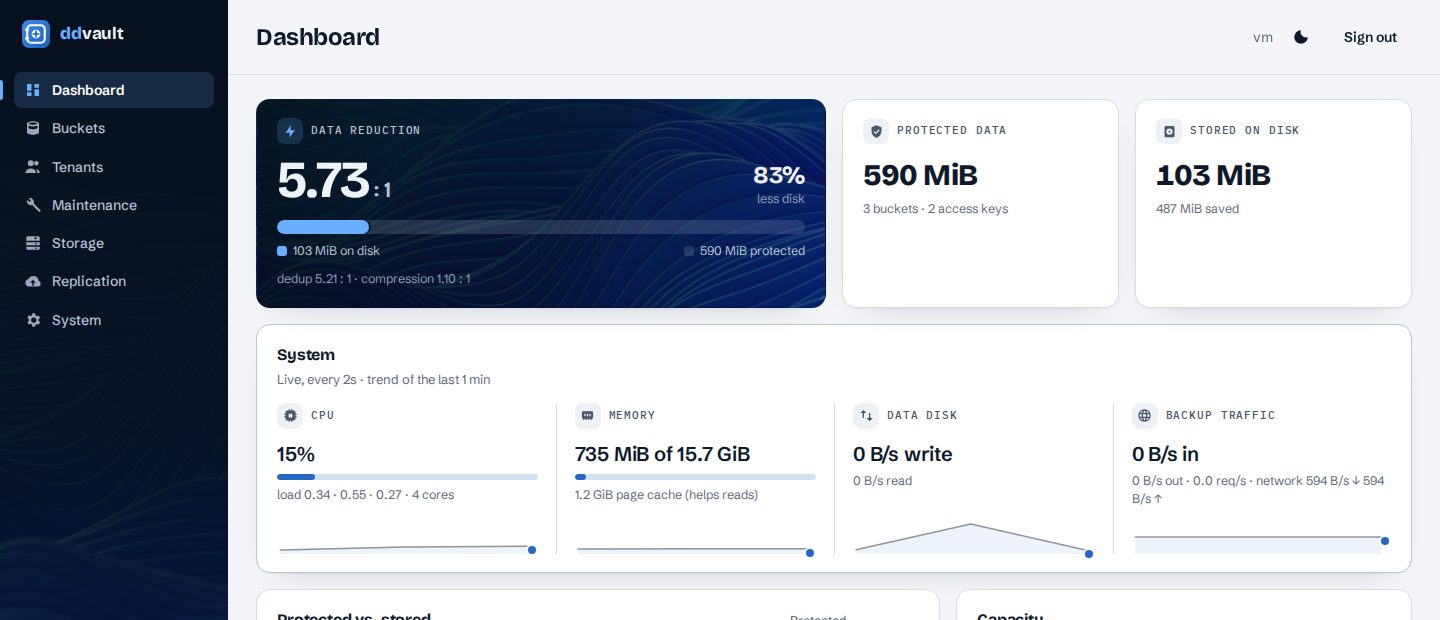
Dashboard of a test appliance with demo data.
Editions
Every appliance starts with a 30-day Pro trial, and beta testers get 3 months of Pro free. Without a licence S3 turns read-only, so backups already stored can always be read, listed and deleted.
Community
For a single site and file-share backups.
Pro
One licence per appliance, in steps of 10 TB of data stored after dedup, with MSP pricing.
Specifications
| Protocols | S3 (SigV4, versioning, Object Lock, multipart) with capacity reporting; NFSv3; SMB 2/3 |
|---|---|
| Backup software | Image-level and file-level backup software writing to S3, or to NFS/SMB shares |
| Deduplication | Within each storage pool, across all its buckets and shares. FastCDC content-defined chunks, 64 KiB average, aligned to backup records; SHA-256 fingerprints |
| Compression | zstd, applied after dedup |
| Integrity | Chunks verified on every read, weekly scrub, fsck of the index; damaged chunks repaired from the replica (Pro) |
| Off-site | Replication to cloud blob storage or a folder, deduplicated and encrypted; metadata backup every 5 minutes |
| Storage | XFS pools on local disks or iSCSI LUNs (CHAP), online grow; iSCSI on a dedicated, unrouted storage network with jumbo frames. SSD or flash recommended; optionally the index on an SSD mirror with the data on hard disks, or cloud blob pools (Pro) |
| Deployment | Linux appliance with UEFI Secure Boot: ISO installer, VHDX, OVA/VMDK and cloud VHD images; or a package for an existing Linux host |
| Network ports | 443 S3 · 8443 web console · 2049 111 NFS · 445 SMB (opened only when a share exists) |
| Minimum VM | 2 vCPU, 4 GB RAM, data disk of 32 GiB or more. Plan about 1.6 GB of RAM per TB of unique data for the index |
Public beta
ddvault is in beta: it runs real backups every day on our test appliances, and we are looking for MSPs and IT teams to run it alongside their existing repositories and tell us what breaks.
You get
We ask
Good to know
Get started
Every appliance runs with all Pro features for 30 days. Request the download.
Physical server or any hypervisor
Hypervisor or cloud
Existing Linux host
tar xzf ddvault-dist-0.1.0-linux-amd64.tgz
cd ddvault-dist
sudo deploy/install.sh --data-disk /dev/sdb

For MSPs
Put ddvault next to an existing repository and compare what it stores. During the beta, testers get 3 months of Pro free.